Image Metadata
In daily life, we often use photos to capture wonderful moments and share them on social media as memories. To protect personal privacy, most people try to hide key details in their photos. However, beyond the image content itself, the photo’s metadata — EXIF, XMP, and ICC — may also contain private information.
EXIF, XMP, and ICC are three common types of metadata embedded in image files. Each records different kinds of information, explained below:
📷 EXIF (Exchangeable Image File Format)
Full name: Exchangeable Image File Format. It mainly stores shooting information such as camera settings, device model, GPS location, image orientation, and manufacturer-specific data. For full details, refer to the official EXIF specification.

This data is automatically written by your phone or camera at the moment the picture is taken. It enables features like smart organization, and helps devices display the image correctly — for example, using orientation data to determine whether the photo should be shown in landscape or portrait mode.
Location Data
Modern smartphone photo apps often provide location-based photo maps — for example, iOS can show how many photos were taken at different locations. This is based on the GPS data stored in EXIF. Such metadata can help us quickly recall where and when special memories happened.
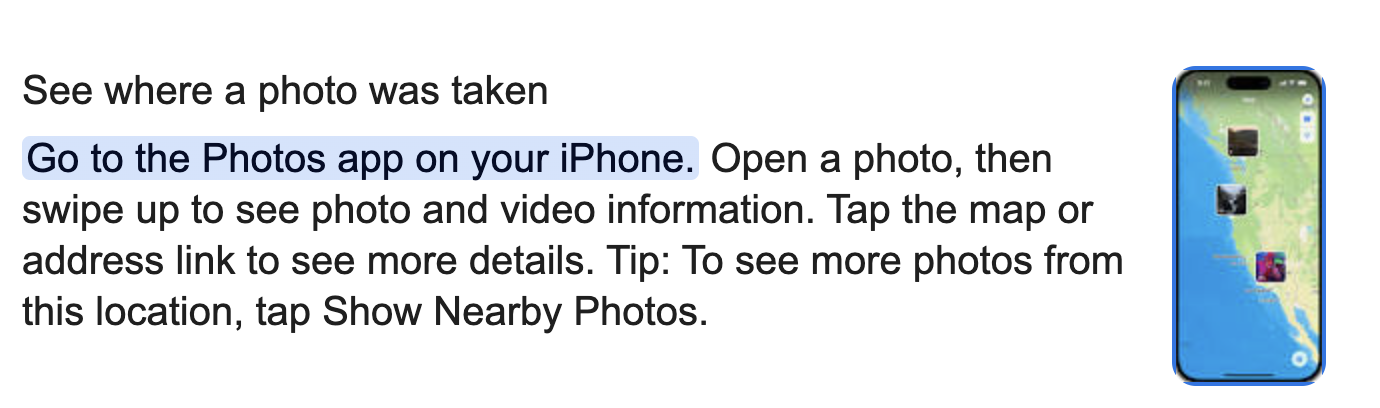
Most common photo formats support EXIF metadata. You can view this data through the “Properties” panel in your phone or PC image viewer. If your device doesn’t show it directly, check out How to gain EXIF of photos to use free online tools.
 |
 |
Of course, you can also add custom tags to EXIF for categorizing images. This involves modifying the metadata using online tools. While EXIF data can help organize and preserve memories, it can also expose sensitive information. You can use tools to remove potentially private data before sharing.
Camera Manufacturer Info
Camera manufacturers often store proprietary metadata in the MakerNote section of EXIF. This includes shooting conditions, device status, lens info, etc., useful for debugging or customer support. For example, Nikon’s MakerNote might include:
MakerNoteVersion              : 2.10
FirmwareVersion               : 1.02
ShutterCount                  : 15233
FocusMode                     : AF-C
LensType                      : G
Lens                          : 18.0-105.0 mm f/3.5-5.6
AFPointSelected               : Center
ImageStabilization            : On
NoiseReduction                : Off
This metadata shows the number of shutter actuations, lens type, focus mode, camera serial number, and more — all of which can help identify the exact device used to take a photo. This is especially important when analyzing image authenticity or investigating copyright ownership.
📝 XMP (Extensible Metadata Platform)
Full name: Extensible Metadata Platform, an open standard used to embed structured metadata into images, videos, and documents. It is a general-purpose XML-based metadata format for recording image properties and custom information.
Basic XMP Fields
Stored as Xmp.xmp.<Property>, these fields include image tags, last modified date, thumbnails, and resource descriptions.
Dublin Core Schema (Copyright Metadata)
Stored as Xmp.dc.<Property>, this schema describes general information about digital content such as title, creator, subject, and copyright. It follows the international metadata standard known as the Dublin Core Metadata Element Set.
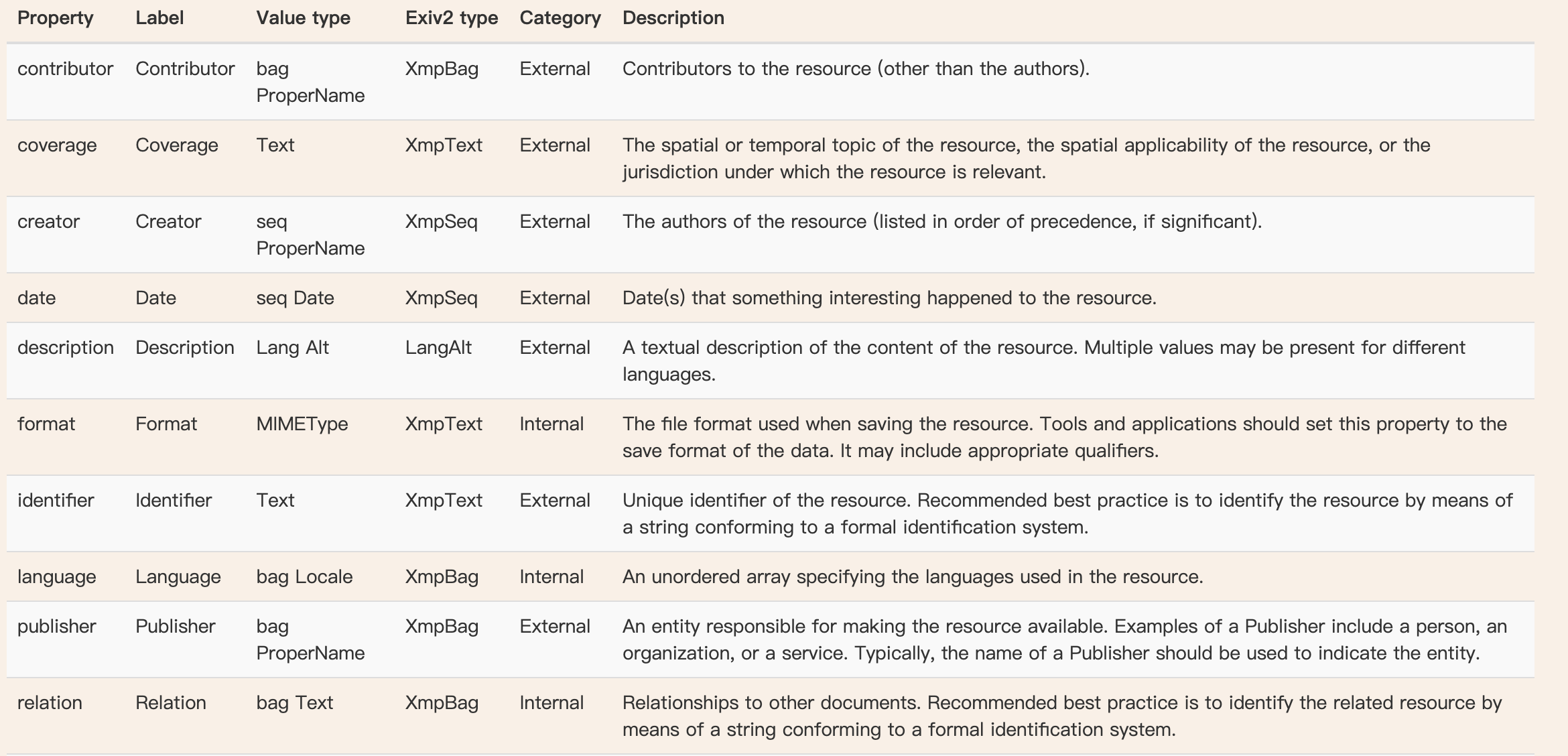
XMP Media Management Schema
Stored as Xmp.xmpMM.<Property>, this section records the lifecycle of a media file — including version history, edit records, original source, and document ID.

This helps track the complete journey of a file from its creation to editing, exporting, and re-editing. For example, you can trace a photo’s original ID and see its editing history, which is helpful for tracking media changes or verifying file authenticity.
Some other fields are software-specific, used to store details unique to editing tools like Photoshop or Camera Raw.
🎨 ICC (International Color Consortium Profile)
Full name: International Color Consortium Profile. This metadata defines how colors in an image should be translated across different devices and color spaces. It ensures that images appear consistent across displays, printers, and cameras.

Common color spaces include: sRGB, Adobe RGB, Display P3, and CMYK. If the ICC profile is missing, the image might display with incorrect colors — particularly for photos taken on iPhones, where the difference can be significant. In the printing industry, colors often need to be converted to CMYK to ensure accuracy in print.
Use Metadata Wisely to Protect Privacy
Hackers or data scrapers could analyze metadata such as EXIF, XMP, and ICC to extract personal information. Before sharing images on social platforms, it’s best to remove EXIF data, especially GPS and device info, to avoid privacy leaks. Removing EXIF won’t affect how the image looks.
XMP can be used for version management. If needed, reviewing a photo’s XMP data can help track its editing history — useful for protecting your intellectual property.
If a photo appears discolored or odd, it may be due to a missing or incorrect ICC profile. When removing metadata, it’s usually safe to delete EXIF and XMP, but you should avoid deleting ICC profiles unless absolutely necessary.