In web design, images play a key role in improving user experience. In poor network conditions, optimizing the speed and quality of image display becomes crucial for a seamless experience. Introducing our powerful Online Image Interlacing Tool, designed to solve this problem and boost your website’s loading efficiency.
What is Image Interlacing?
In traditional image display, browsers load images line by line starting from the top. When the image is large or the network speed is slow, users have to wait a long time to view the complete image. Interlacing technology gradually displays the image in a staggered manner. Even if the image hasn’t fully loaded, users can still see a blurry image that progressively sharpens.
|

|
Why Choose Interlaced Display?
1. Enhance User Experience
Interlaced images are initially blurry and then become gradually clearer, offering a progressive visual effect as the image loads. This allows users to view the image's outline even when the network is slow or unstable, enhancing the overall user experience.
2. Reduce Perceived Waiting Time
With interlaced images, users can see a clearer preview as the image loads, reducing the anxiety caused by prolonged waiting. For most users, a progressively clear image is much more acceptable than a blank screen.
3. Improve Website Performance
Interlacing not only enhances the visual experience but also reduces the time required for the image to fully load, particularly in low-bandwidth environments. By prioritizing the display of key sections of the image, the overall page load speed improves, which in turn boosts SEO performance.
How to Use the Image Interlacing Tool?
Using our online tool is simple. Just follow these steps:
- Visit the Tool Page: Image Interlacing Tool
- Upload Your Image: Click the "Upload Image" button to select the image(s) you want to convert. You can upload a single image or batch upload multiple images.
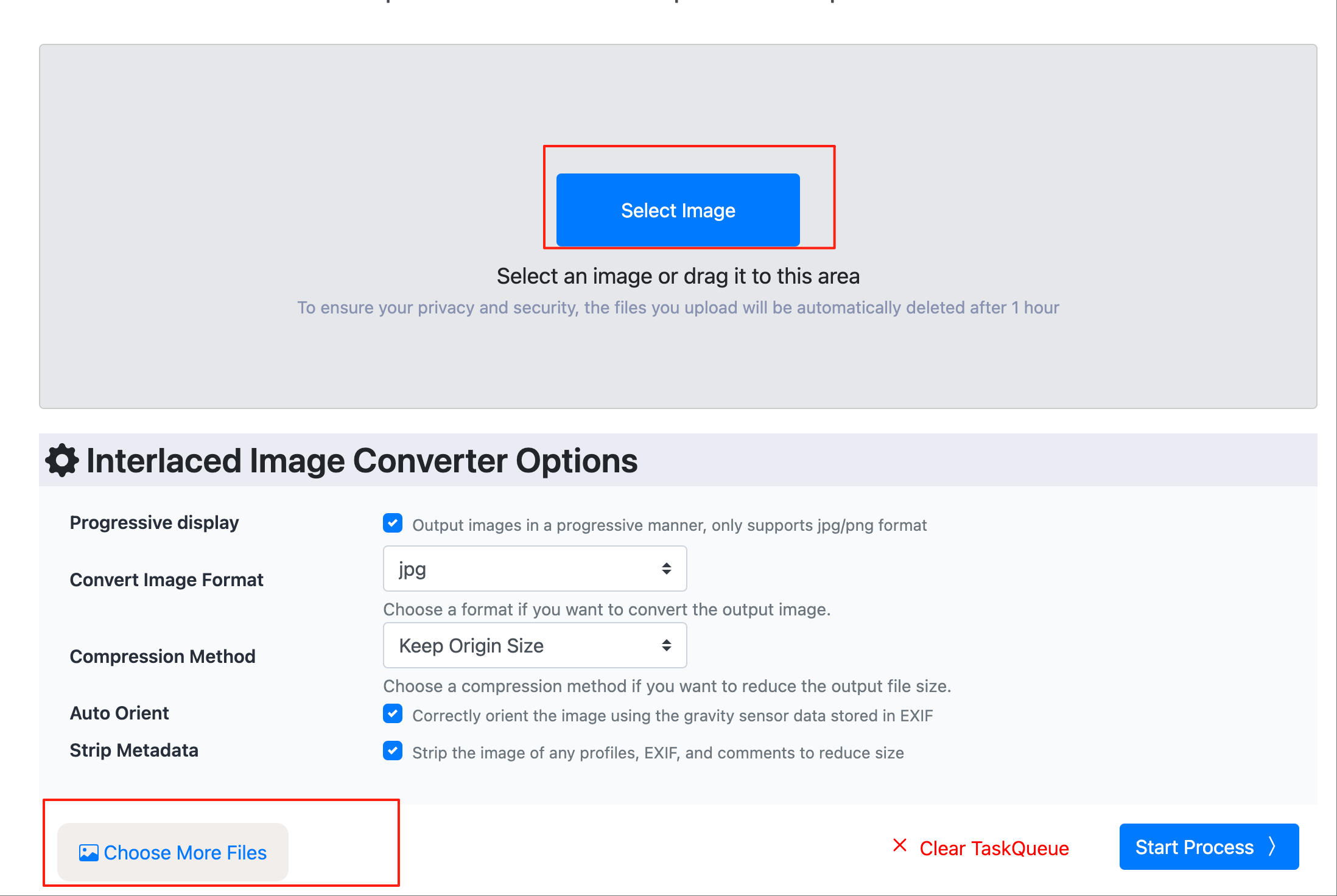
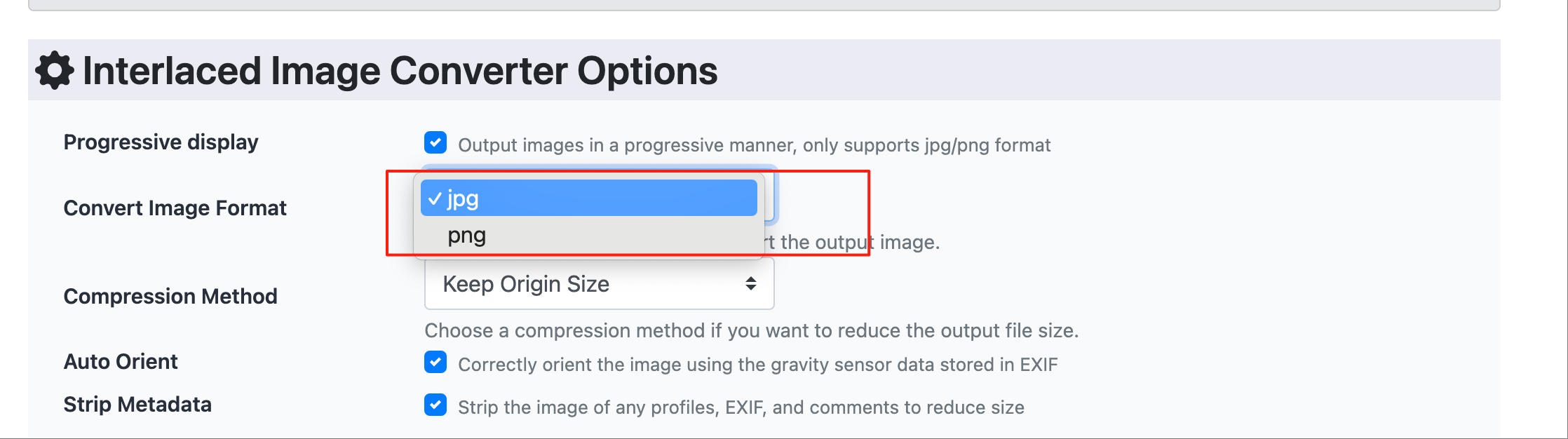
- Choose the Default Output Format: The tool automatically enables interlaced display. It currently supports output formats like JPG and PNG.
- Download the Converted Image: After clicking the "Convert" button, wait for a few moments, and then download your interlaced image. The conversion speed depends on the number of images you upload; the more images, the longer the process.
Advantages of Using Convertft's Online Image Interlacing Tool
Batch Processing, Fast and Efficient
No need to install any software—simply upload your images through your browser, and the interlacing conversion is done in seconds. The tool supports batch processing, allowing you to convert large volumes of images quickly.
Built-in Format Conversion, Supports Multiple Formats
Our Image Interlacing Tool supports converting common image formats like JPG, PNG, WebP, HEIC, and AVIF into interlaced JPG or PNG formats. No matter what format your images are in, you can easily convert them to interlaced images for faster loading.
Privacy Protection, Completely Free
Convertft offers a free online image interlacing tool, so you don’t need to sign up or download any plugins to use all the features. It’s truly efficient and privacy-friendly. Our other image editing tools are also free to use.
Standards Compliant, Highly Compatible
Our encoder follows official standards, ensuring that converted images are fully compatible with all major browsers and load quickly across various devices. Whether on a desktop, mobile phone, or tablet, the interlaced display provides a consistent and great experience.
Use Cases
1. E-commerce Websites
Images are crucial for attracting customers in e-commerce. By using interlacing technology, product images will load quickly, ensuring a smooth browsing experience and improving conversion rates.
2. News Websites and Blogs
For news sites or blogs, fast-loading images are a key factor in increasing page views. Interlacing ensures that image content loads swiftly, reducing bounce rates and enhancing user engagement.
3. Photography Portfolios
Photographers and designers can use interlacing technology to optimize loading speed when displaying their work, allowing viewers to see progressively clearer images and avoiding the anxiety of waiting for full loading.
Conclusion
Whether you're looking to improve user experience or enhance website performance, image interlacing is a valuable technique to try. With the Convertft Online Image Interlacing Tool, you can easily convert your images to an interlaced format without installing any software or creating an account.