The Pain: Are You Still Resizing Images One by One?
We’ve all been there: You just finished a photoshoot for 100 new product variants for your Shopify store, or you have a massive batch of visuals ready for your social media pipeline. But there’s a catch—the dimensions are all wrong.
Opening Photoshop, modifying the resolution, renaming, and exporting them one by one is an absolute productivity killer.
Why waste your valuable time on repetitive, mundane tasks when you should be focusing on growing your business?
The Trap of "Free" Online Image Resizers
Naturally, you might look for a bulk image resizer online. However, most web tools that claim to be "free" come with frustrating strings attached:
- The Paywall Trap: They offer a "free tier" but limit you to 10 images per day. Want more? Time to upgrade to a monthly subscription.
- Size Limitations: Some big-name tools cap your free usage at 200MB. If you are uploading high-res DSLR raw files, you won’t even make it past 20 images before hitting a wall.
- Browser Crashes: Many tools rely entirely on your local browser (JS/Canvas) to do the heavy lifting. Drag in 50 heavy files, and your laptop's fan instantly starts screaming right before the browser tab crashes.
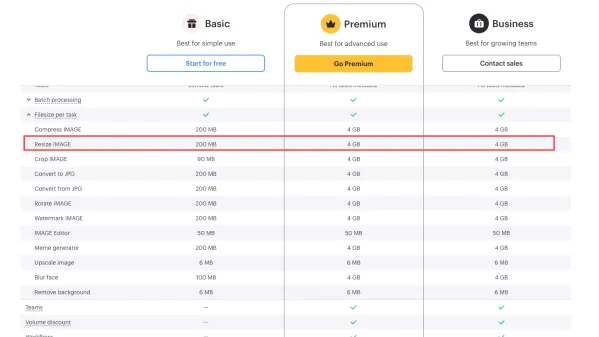
If you’re tired of hitting limits and dealing with laggy tools, it’s time for a major upgrade.
Meet ConvertFT: The Truly Unlimited, Free Batch Image Resizer
Stop wasting your time. Today, we are introducing a powerful, no-nonsense utility built for raw efficiency:
👉 ConvertFT Batch Image Resizer Tool
The ConvertFT Promise: No account registration required. No credit cards. No email sign-ups. No annoying pop-up ads. Just an absolute, pure free-to-use batch image resizer.
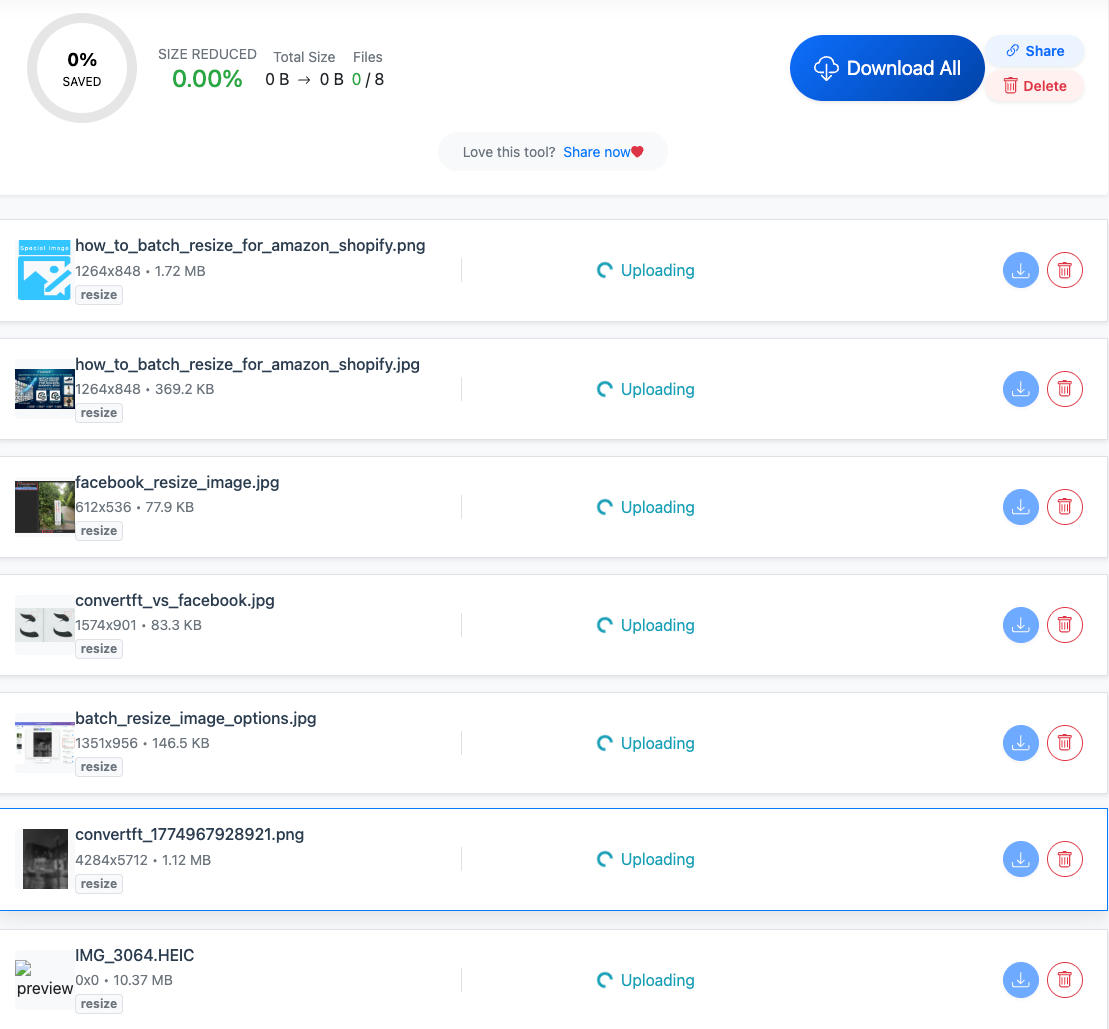
To prevent your browser from freezing, ConvertFT utilizes a seamless workflow. While there is no limit on the total number of images you can process, we recommend selecting around 30 images per batch. Simply drag and drop them in 3 quick waves, and your 100 high-res images will be fully resized in under a minute!
Why is ConvertFT’s Bulk Processing So Blazing Fast?
This isn’t marketing fluff. ConvertFT achieves its extreme performance through a highly optimized, enterprise-grade backend infrastructure:
1. Dedicated Cloud Server Horsepower
Unlike other tools that drain your computer’s memory, ConvertFT offloads 100% of the heavy lifting to our high-performance cloud servers. The moment you drop your files, our backend spins up multiple concurrent pipelines to process your images simultaneously. Processing scales with your internet speed.
2. Low-Latency Routing
We have deployed processing nodes across multiple regions worldwide. The platform automatically routes your data to the closest server node. By drastically reducing data travel distance, latency is minimized, making uploads and downloads snappy.
3. Smart Resource Allocation for Large Files
Our system is intelligent. If you upload massive, multi-megapixel DSLR images, the backend dynamically allocates more processing threads to those specific heavy files. This ensures a single massive image never bottlenecks the rest of your queue.
In short: Your images are processed as fast as your connection can transfer them. Before you can even take a sip of your coffee, your 100 images are ready and waiting.
Fast Processing, But Will the Quality Drop?
This is the ultimate concern for e-commerce store owners, photographers, and web designers: Will my text get blurry? Will product details get lost?
Standard scaling tools use basic interpolation that simply "stretches" or chops pixels, leaving you with blurry edges and ugly pixelated artifacts. ConvertFT, however, utilizes an advanced high-fidelity resampling algorithm (Lanczos). When downscaling, it mathematically evaluates a precise matrix of surrounding pixels to reconstruct the image.
The Result: Even when you scale a high-resolution camera shot down to a mobile-friendly 800px, product textures, crisp logos, and fine text typography remain incredibly sharp and professional.
3 Hidden Perks Packed Into the Backend
Since your images are already being processed by our lightning-fast engine, ConvertFT automatically fixes three common headaches for web operators and SEO experts:
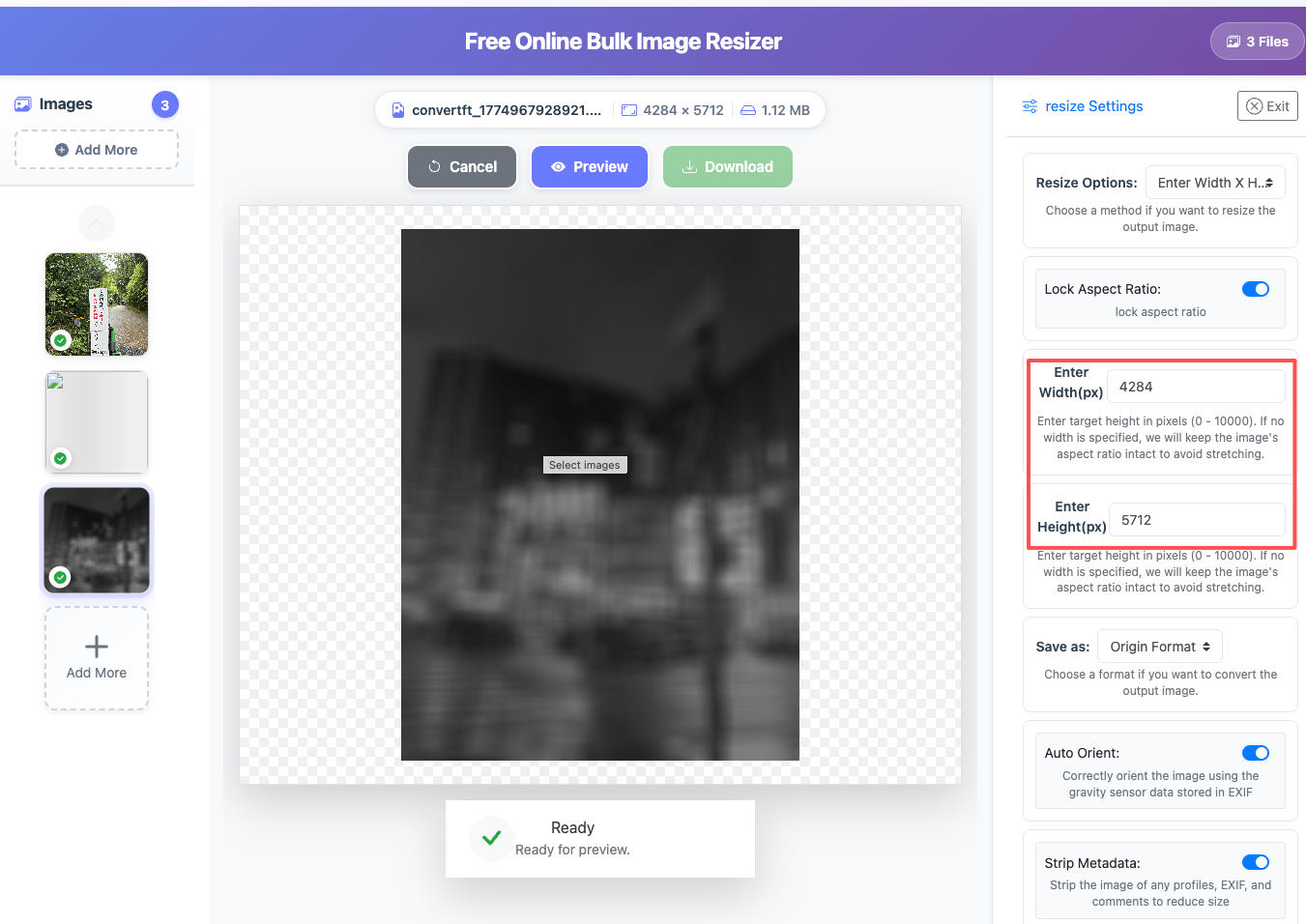
- Privacy & SEO Boost (Strip EXIF): It automatically strips hidden metadata (camera models, exposure settings, GPS locations) from your files. This protects your privacy and trims an extra 10KB+ off your files, giving your site a boost in Google PageSpeed scores.
- No More Crooked Photos (Auto-Rotate): Images shot vertically on smartphones often display sideways when uploaded to laptops. ConvertFT reads the internal orientation tags and auto-corrects them so every download displays exactly how it should.
- One-Click ZIP Download: Once your batch is complete, download everything in a single, neat ZIP archive. No more cluttering your local Downloads folder with hundreds of individual files.
Take Action: Reclaim Your Time
Technology should eliminate tedious, repetitive tasks, not create them. Leave the heavy lifting of image resizing to a platform built for the job.
Stop clicking through files one by one. Select your batch of 100 images, drop them into ConvertFT, and experience how easy it is to get it all done in under a minute.