Overview
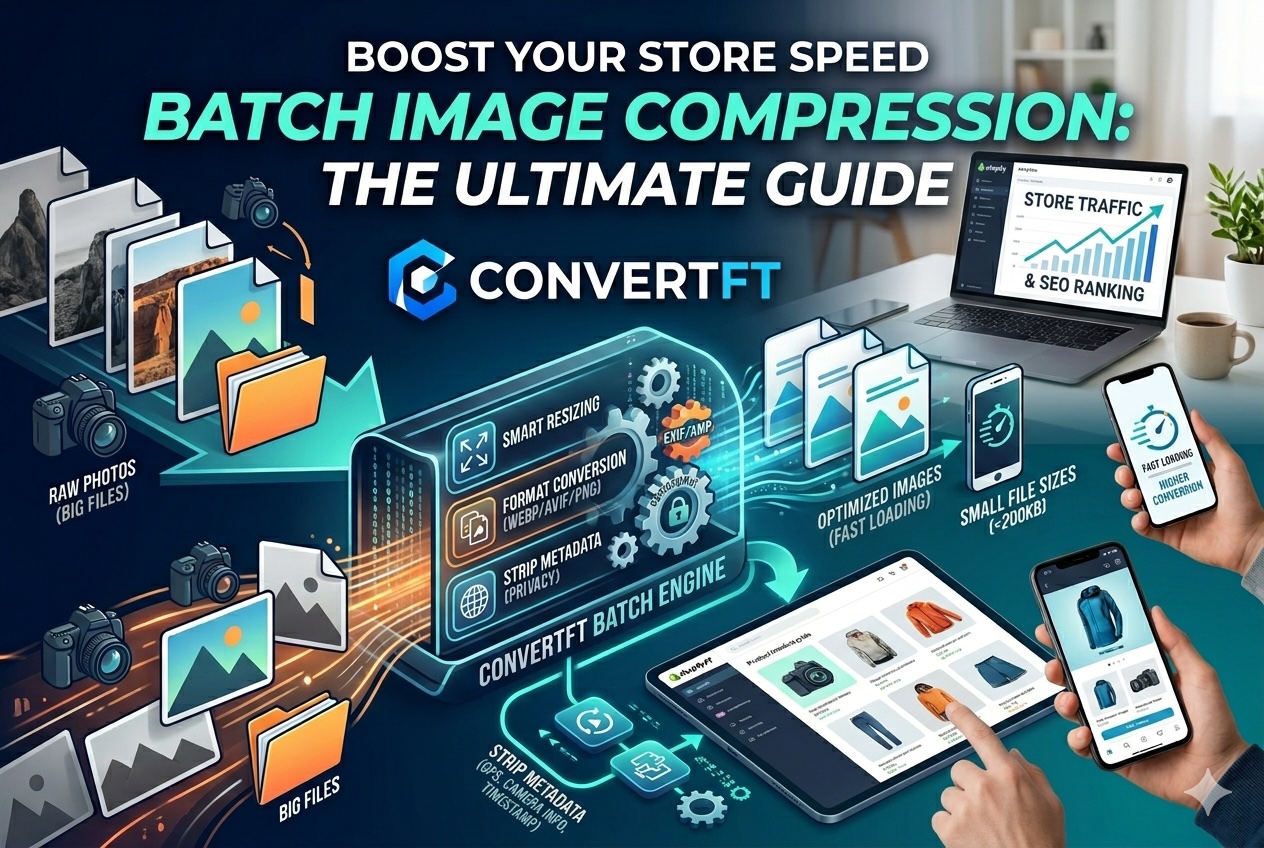
Research shows that every 1-second delay in page load time can slash conversions by 7%. For e-commerce owners, the #1 culprit for a sluggish site isn't your code—it's unoptimized product images. While high-res photos sell products, raw files kill your SEO and drive away frustrated customers.
Why E-commerce Sellers Can’t Ignore Image Optimization
When a customer lands on a collection page, their browser might struggle to load 20, 50, or even 100 images simultaneously.
- SEO Dominance: Google uses PageSpeed (Core Web Vitals) as a ranking factor. Slow sites are buried on page 2.
- Mobile-First Shopping: Most shoppers use 4G/5G. Large images drain data and lead to high bounce rates.
- The 3-Second Rule: If your page takes longer than 3 seconds to load, 40% of users will abandon ship.
The Goal: Find the "Sweet Spot." You want the smallest file size possible that remains "Retina-ready" to the naked eye.
ConvertFT: The Swiss Army Knife for Batch Processing
Unlike basic online compressors that only offer one-size-fits-all "squeezing," ConvertFT provides a sophisticated multi-layered approach to shrinking images.
1. Smart Resizing (Lossy & Lossless)
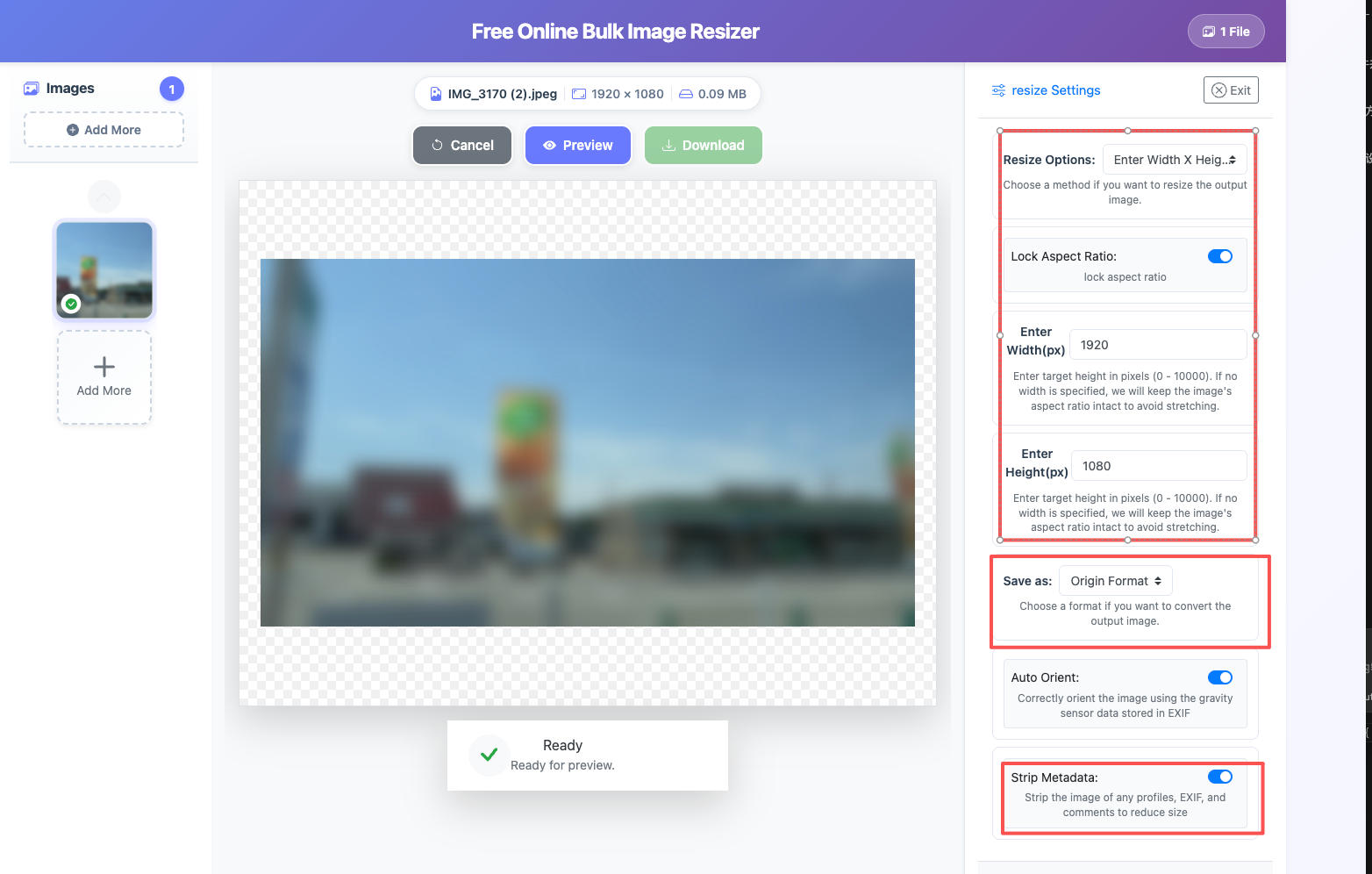
Most raw product shots are 4000px+, but your website only needs 1200px or 1500px. ConvertFT’s Resize Tool intelligently scales your images, significantly dropping the footprint before compression even begins.
2. Next-Gen Format Conversion
Go beyond standard JPEGs. ConvertFT allows you to instantly switch between formats based on your needs:
- WebP/AVIF: The gold standard for modern web performance (up to 30-50% smaller than JPEG).
- PNG: Perfect for logos or products requiring transparent backgrounds.
- JPEG: High compatibility for older systems.
3. Privacy-First Metadata Stripping (The Invisible Weight)
Every photo contains EXIF/XMP data—hidden info like GPS coordinates, camera serial numbers, and timestamps.
- Weight: This data can add 10-50KB per image.
- Privacy: In the competitive e-commerce world, stripping metadata prevents rivals from tracking your shooting locations or production timeline.
Unlock "Bulk" Power: Stop Wasting Hours in Photoshop
If you have 500 SKUs, editing them one by one is a productivity nightmare. ConvertFT is designed for high-volume workflows:
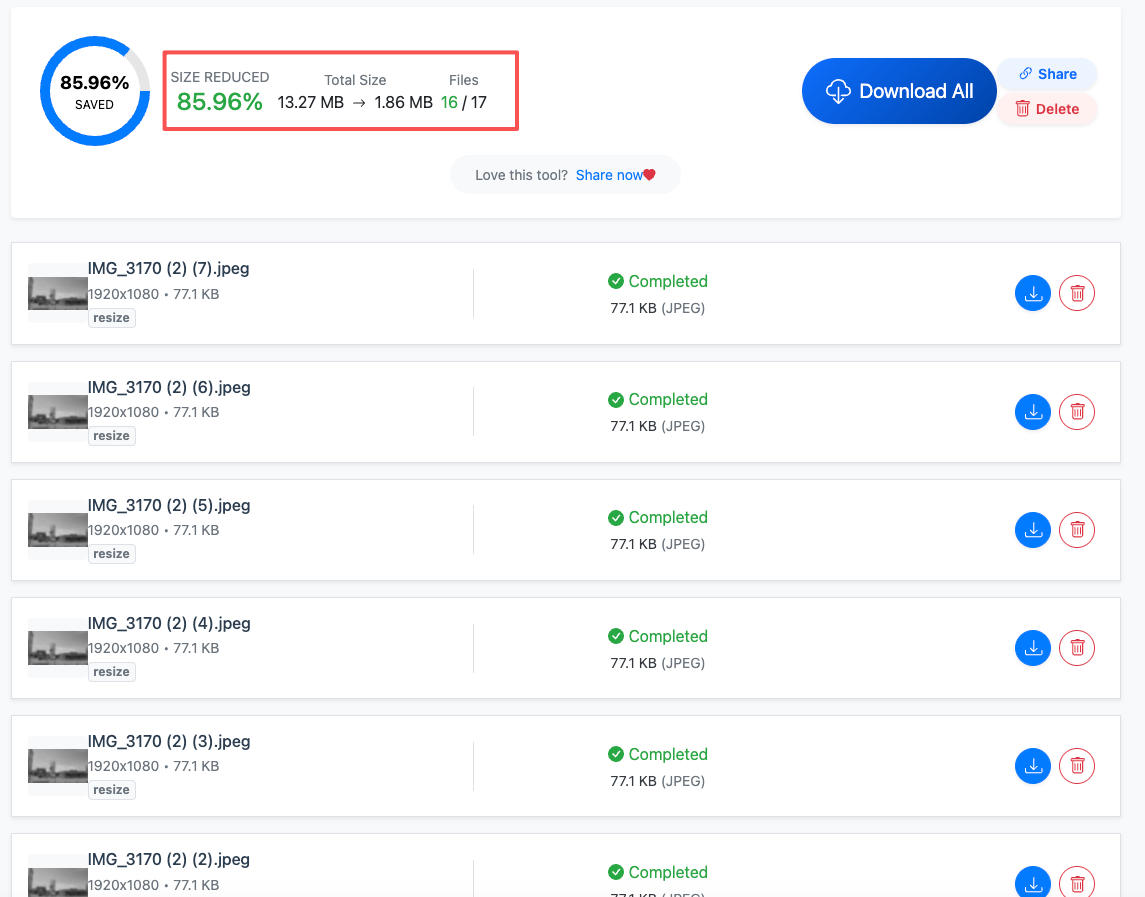
- Standardized Aspect Ratios: Ensure your product grids look perfectly aligned and professional.
- Cross-Platform Ready: Whether your source is iPhone's HEIC, a designer’s massive PSD/PNG, or a GIF, ConvertFT unifies them into one clean output.
- True Batch Performance: Process 30 images at a time with unlimited sessions. Our distributed backend architecture means your entire gallery is ready in seconds, not minutes.
4 Simple Steps to Optimize Your Catalog with ConvertFT
- Collect Your Assets: Don't worry about mixed formats (HEIC, PNG, and JPG).
- Upload to ConvertFT Resize: Drop your files into our secure interface.
- Configure Your Workflow:
- Resize: Set a max-width (e.g., 1200px) while maintaining the original aspect ratio.
- Format: Choose WebP for speed or PNG for color-critical high-end fashion.
- Strip Metadata: Toggle on "Remove EXIF" for extra weight loss and privacy.
- Download & Deploy: Grab your optimized ZIP file and upload directly to Shopify, Amazon, or WooCommerce.
Pro Tip: Protect Your Business Intelligence
Many sellers overlook that metadata acts like a digital footprint. By using the Strip Metadata feature in ConvertFT, you aren't just saving space; you're securing your supply chain details and warehouse locations from prying eyes.
Conclusion: Start Converting More Today
You’ve spent hours perfecting your product and dollars on marketing. Don’t let a "heavy" website be the bottleneck. By building a batch-compression workflow with ConvertFT, you provide every visitor with a fast, professional, and seamless shopping experience.